



.svg.png)

Almost every accessibility law in force today names WCAG 2.1 Level AA, not 2.2. That fact leads a lot of teams to conclude they can ignore the newer version. It is the wrong conclusion, and the reason is arithmetic rather than principle: WCAG 2.2 contains everything in 2.1, so building to 2.2 satisfies the law you are actually bound by and makes the next standards update a non-event.
This article covers WCAG 2.2 vs 2.1 in practical terms, which of the additions apply at Level A and AA, what the current regulatory picture looks like after the Department of Justice moved its deadlines in April 2026, and which fixes are genuinely quick. Written for the VP Digital or compliance lead who needs to know the real scope of the gap rather than a vendor's version of it.
What is WCAG 2.2 and where does it sit among the standards?
The Web Content Accessibility Guidelines are produced by the World Wide Web Consortium through its Accessibility Guidelines Working Group. WCAG 2.2 was published as a W3C Recommendation on 5 October 2023, with an update published on 12 December 2024. It is the current version of WCAG, and W3C recommends you use WCAG 2.2 to maximise the future applicability of web accessibility work.
Each WCAG version is additive. WCAG 2.0 arrived in 2008 and WCAG 2.1 added 17 success criteria in 2018. WCAG 2.2 adds nine more. Existing criteria are not rewritten between versions, which is why the W3C's own overview describes later versions as backwards compatible in practice. WCAG 2.2 builds on what came before and is compatible with WCAG 2.1, so a site that conforms to WCAG 2.2 also conforms to 2.1 and 2.0 by definition. Put the other way, you cannot meet the older version and fail 2.2 on anything except the criterion that was withdrawn.
WCAG 3.0 exists but only as a working draft with a different conformance model, and it is not a planning consideration for anyone this year. The practical choice in front of you is which WCAG 2 version you target, not whether to wait for the next generation.
What is new in version 2.2, and what was removed?
What's New in WCAG 2.2 lists the nine additions, and the WCAG 2.2 criteria cluster around three real-world problems: keyboard users losing track of focus, motor difficulty with small or drag-based controls, and cognitive load during authentication and form completion.

One criterion also went the other way. Success criterion 4.1.1 Parsing is now obsolete. W3C's reasoning is that assistive technology no longer parses HTML directly, taking its data from the browser accessibility tree instead, so the requirement no longer had utility. Genuine markup problems that used to fail 4.1.1 now fail 1.3.1 Info and Relationships or 4.1.2 Name, Role, Value instead. Nothing became less accessible; a redundant test disappeared. Version 2.2 also leaves every other 2.0 and 2.1 requirement exactly as written.
The arithmetic trips people up, so it is worth stating. WCAG 2.1 had 78 success criteria. Version 2.2 adds nine and retires one, giving 86. Any WCAG 2.2 checklist claiming 87 has forgotten the removal.
Which of the nine apply at Level A and Level AA?
Six of the nine. Version 2.2 adds nine new success criteria in total, of which two sit at Level A and four at Level AA, with the remaining three at AAA. Those additional criteria at Level AA are the ones procurement teams ask about. If you are targeting AA conformance under the new version, those six are your entire delta from 2.1.
At Level A: 3.2.6 Consistent Help, which requires help mechanisms to appear in the same relative order across pages, and 3.3.7 Redundant Entry, which stops a process asking a user for the same information twice. At Level AA: 2.4.11 Focus Not Obscured (Minimum), ensuring a focused element is at least partly visible; 2.5.7 Dragging Movements, requiring a single-pointer alternative to any drag action; 2.5.8 Target Size (Minimum), setting a 24 by 24 CSS pixel floor for targets with exceptions; and 3.3.8 Accessible Authentication (Minimum), which prohibits cognitive function tests such as puzzles or transcription unless an alternative exists.
The three AAA additions are 2.4.12 Focus Not Obscured (Enhanced), 2.4.13 Focus Appearance, and 3.3.9 Accessible Authentication (Enhanced). Almost nobody is contractually obliged to meet AAA, and W3C does not recommend it as a general policy target, so treat those as aspiration rather than scope.
What does the law actually require in 2026?
Mostly WCAG 2.1 AA, and that is the point most teams miss. The DOJ's ADA Title II rule wrote WCAG 2.1 Level AA into US regulation for state and local government. In April 2026 the Department published an Interim Final Rule extending the deadlines by a year: per ADA.gov, entities with a total population of 50,000 or more now have until 26 April 2027, and smaller entities and special district governments until 26 April 2028. The technical standard did not change, only the dates.
In Europe, the European Accessibility Act became enforceable on 28 June 2025 and reaches any business selling covered services to EU consumers regardless of where it is based. It operates through the harmonised standard EN 301 549, whose current version references WCAG 2.1 AA. Version 4.1.1 of that standard, expected to reference WCAG 2.2 AA, is anticipated late 2026 or into 2027. Section 508 meanwhile still points at WCAG 2.0 Level AA for US federal agencies.
So the honest summary of WCAG 2.1 vs 2.2 is that WCAG 2.1 and WCAG 2.0 are what regulations reference wcag today, and 2.2 is what W3C and most procurement documents now expect. Choosing to target WCAG 2.2 covers both positions at once, and the move from WCAG 2.1 to 2.2 is a smaller step than most teams assume. WebAIM's roadmap for the Title II requirements is a useful companion if you sit on the public-sector side of this.
Why should you adopt WCAG 2.2 if the law says 2.1?
Because the cost of the difference is small and the cost of doing it twice is not. The new requirements amount to six level AA success criteria, a modest scope next to the remediation you already owe under 2.1. Nothing in WCAG 2.2 requires you to undo work done to conform to WCAG 2.1. Doing that work now, while the site is open, is cheaper than reopening it in eighteen months when EN 301 549 updates.
There is also a procurement argument that lands better with executives than a legal one. RFPs, vendor security questionnaires, and enterprise customer contracts increasingly require WCAG at the current version rather than the version named in statute. Being able to say your site meets WCAG 2.2 Level AA removes a friction point from deals, and it is a claim your competitors mostly cannot make.
The risk framing matters too. Meeting WCAG 2.1 AA when 2.2 is the published standard is defensible, but a plaintiff's expert will note you were building to a superseded version. AA compliance and accessibility compliance rarely turn on one criterion, and the optics of deliberately targeting the older accessibility standard are poor. If a contract says conform with WCAG at the current version, WCAG 2.0 or 2.1 will not satisfy a careful reviewer.
What does the real risk look like?
Worse than it was. WebAIM's 2026 analysis of one million homepages found detectable WCAG failures on 95.9% of them, up from 94.8% the previous year and reversing six years of gradual improvement. Average detected errors rose about 10% to roughly 56 per page, while average page complexity jumped more than 20% in a single year.
The composition of those failures is the useful part. Six categories account for the overwhelming majority of detected errors, and they have not changed in seven years: low contrast text, missing alternative text, empty links, missing form input labels, empty buttons, and missing document language. None of these are obscure. All are testable success criteria that existed in WCAG 2.0, which is a WCAG success story nobody can claim.
Which means the risk concentration is not in the 2.2 additions at all. If you have not fixed contrast and form labels, WCAG 2.2 adds nothing to your exposure because you are already failing 2.0. Fix the base layer first, then close the six-criterion gap.
What's quick, and what is genuinely expensive?
Quick wins first. Consistent Help is usually a template change: put the support link in the same place on every page. Redundant Entry is often a form configuration setting. Target Size failures are frequently a CSS padding adjustment on icon buttons and table controls. Focus Not Obscured is typically a sticky header or cookie banner with a z-index problem, fixable in an afternoon once someone notices it.
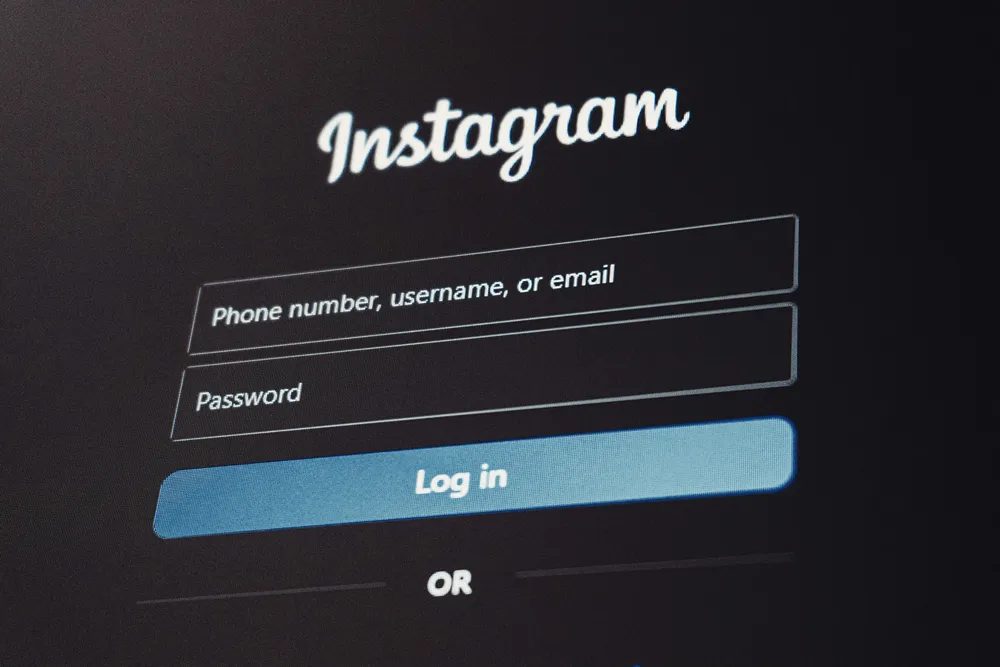
The expensive one is Accessible Authentication. If your login uses a puzzle, a transcription challenge, or blocks password managers by disabling paste, you are failing 3.3.8 and the fix touches your identity layer rather than your CSS. Allowing paste into password fields and supporting password managers resolves most of it, but if you built a custom auth flow the change is real work.
Dragging Movements sits in between. Reordering interfaces, kanban boards, sliders, and map controls all need a click or tap alternative that achieves the same outcome. That is a design and engineering task, not a settings change, and it is the criterion most likely to be discovered late in a portal or application build.
How do you test for WCAG 2.2 conformance?
Automated tools catch roughly a third of issues, which is genuinely useful for the six high-volume failure categories and near-useless for the additions in 2.2. No scanner reliably determines whether a drag interaction has an equivalent alternative or whether a help mechanism appears consistently. Those need a human.
Build a hybrid process: automated scanning in CI to stop regressions, manual keyboard-only testing on your critical journeys, and testing with actual assistive technology on the flows that matter commercially. Then document what you tested and when, because WCAG conformance claims are statements about specific pages at a specific time, and an undocumented claim is the one that fails under scrutiny.
Specify it in your build process rather than auditing it afterwards. Accessibility introduced at design costs very little; retrofitted after launch it is one of the more expensive categories of remediation. We make the same argument in our guide to accessible web design, and it applies with more force to authenticated applications where nobody outside the login ever tests. Accessibility work also compounds with the structural fundamentals covered in our guide to improving organic search rank, since headings, landmarks, and link text serve both.
How does this apply to portals and applications rather than marketing sites?
Harder, and less often checked. Public marketing pages get scanned; the customer portal behind the login usually does not. Yet portals concentrate exactly the interactions those additions address: authentication, multi-step forms, drag-based configuration, and dense tables with small controls.

The new WCAG 2.2 success criteria are effectively an application accessibility update, and WCAG 2.2 introduces most of them for exactly that reason. Redundant Entry, Consistent Help, and Accessible Authentication all describe process problems rather than page problems, which is why they matter more inside a product than on a homepage. If you are building or replacing a portal, this is the cheapest moment you will ever have to meet WCAG 2.2. The wider trade-offs are in our pillar on Customer Portal Development: Five Mid-Market CX Mistakes.
Platform choice affects how much of this you control. Some hosted builders manage focus indicators and target sizing sensibly by default; others generate markup you cannot fully influence, a point we touch on in our WordPress versus Webflow comparison. That is worth weighing before you commit, and we work through it in Webflow vs Custom Development vs Headless: A B2B Decision Framework.
What should you do in the next 90 days?
Targeting WCAG 2.2 AA rather than 2.1 gets you one audit report instead of two. Run automated scanning across the estate to size the base-layer problem, then manual testing on your top revenue journeys and anything behind authentication.
Then split the findings. Base-layer failures under WCAG 2.0 and WCAG 2.1 are your legal exposure and should be prioritised on that basis. The six new criteria are your forward-looking scope and are mostly quick. Publish an accessibility statement covering WCAG 2.2 compliance: which version you conform to, what you tested, and what you know is outstanding, because a candid statement is better protection than silence.
Our software engineering and cybersecurity consulting teams handle accessibility as part of the build rather than as a separate audit, on the view that conformance to WCAG 2.2 is a property of how something was made rather than something you inspect at the end.
Get an accessibility read on your portal
Our Portal Review covers WCAG 2.2 AA conformance alongside architecture and access control, with findings split into legal exposure, quick wins, and genuine engineering work, alongside the customer experience implications of each. You get a remediation plan with effort attached, not a scanner export.
If you have a compliance deadline and need to know what realistically closes before it, that is the conversation to have now rather than in the final quarter.
Key things to remember
- WCAG 2.2 is the current version, published October 2023 and updated December 2024. It is fully additive, so conforming to 2.2 means conforming to 2.1 and 2.0.
- Nine new criteria, one removal. The Parsing criterion is retired, and the total is 86, not 87.
- Only six of the nine sit at Level A or AA: two at Level A, four at Level AA, three at AAA. Those six are your entire gap from 2.1 AA.
- The law still names 2.1 AA in most places, and 2.0 under Section 508. Building to 2.2 satisfies all of them and pre-empts the EN 301 549 update expected late 2026 or 2027.
- DOJ extended ADA Title II deadlines in April 2026 to 26 April 2027 and 26 April 2028. The standard stayed at WCAG 2.1 AA.
- Your real exposure is probably not the 2.2 additions. Six long-standing failure types account for most detected errors on 95.9% of homepages, and all predate WCAG 2.1.
- Consistent Help, Redundant Entry, Target Size, and Focus Not Obscured are usually quick. Accessible Authentication and Dragging Movements are real engineering.
- Automated tools find roughly a third of issues and almost none of the new criteria. Manual keyboard and assistive technology testing is not optional.
- Portals are where the additions bite hardest and where nobody tests. Audit behind the login.

%402x.svg)
%402x.svg)

