


.svg.png)

Managing a high-volume inbox while trying to maintain meaningful communication with customers, leads, and partners is one of the most time-consuming challenges modern businesses face. Email workflow automation changes that equation entirely — replacing manual, repetitive tasks with intelligent, trigger-based systems that send the right message to the right person at exactly the right moment. Whether you're a small business owner looking to reclaim hours in your week or a marketing team ready to scale customer engagement without scaling headcount, this guide walks you through everything you need to build, optimize, and sustain powerful email automation workflows that actually deliver results.
What Is Email Workflow Automation and Why Does It Matter?
Email workflow automation is the practice of using software to automatically send emails based on predefined triggers, conditions, and a series of actions — removing the need for manual email sending at every step of the customer journey. Instead of drafting and dispatching individual messages, you build a workflow once and let it run on autopilot, responding to subscriber behavior, timing, or data conditions without human intervention.
The business case is straightforward. Manual email management at scale is both error-prone and inefficient. Automation helps organizations reduce manual work, eliminate repetitive email tasks, and ensure that every email reaches its intended recipient with consistent timing and messaging. According to Mailchimp's Email Marketing Benchmarks, automated emails generate significantly higher open and click-through rates than standard broadcast campaigns — because they're timely, relevant, and behavior-driven.
Beyond efficiency, email workflow automation fundamentally improves customer experience. When a new subscriber receives a thoughtful welcome series within minutes of signing up, or a prospect gets a personalized follow-up after downloading a resource, those interactions build trust and momentum. Automation makes it possible to deliver that level of responsiveness at scale — something manual work simply cannot sustain.
How Does an Email Automation Workflow Actually Work?
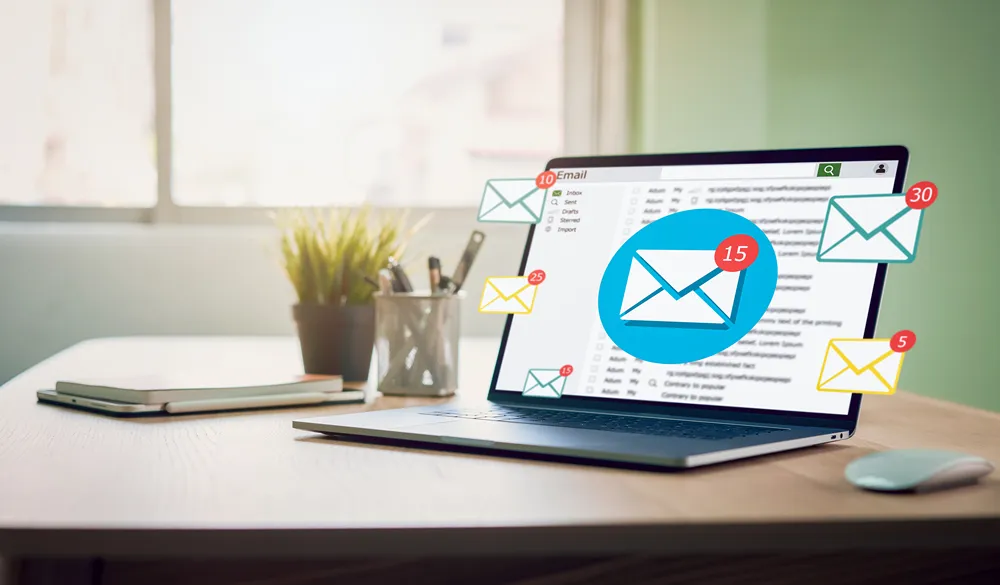
At its core, an email automation workflow operates on a trigger-condition-action model. A trigger is an event that initiates the workflow — such as a new subscriber joining a list, a contact making a purchase, or a user abandoning a cart. The condition defines any qualifying criteria that must be met, and the action is what happens next: an email is sent, a tag is applied, or the contact moves to a new workflow stage.
Most modern email automation platforms allow you to chain multiple actions together into a sophisticated sequence. For example, after you send a welcome email, the workflow might wait three days, check whether the subscriber opened it, then send a follow-up email based on user behavior — either a deeper introduction for those who engaged or a re-engagement nudge for those who didn't. This branching logic is what makes email automation workflows so powerful compared to static email campaigns.
The underlying engine that makes all of this work is data — specifically, customer data drawn from your CRM, website analytics, purchase history, and engagement metrics. The richer your data, the more precisely you can trigger, segment, and personalize each automated email. HubSpot's Marketing Statistics consistently show that personalization in automated email sequences drives measurable lifts in both engagement and revenue conversion.
What Are the Most Effective Email Workflows for Business Growth?
Not all email workflows deliver equal value. The most effective ones map directly onto key moments in the customer journey — moments where timely, relevant communication can meaningfully influence behavior. The welcome series is the highest-impact workflow for most organizations: when you send a welcome email immediately after someone subscribes, you capitalize on peak interest and set the tone for the entire relationship.
Beyond onboarding, high-performing email automation workflows typically include lead nurture sequences that educate and build trust over time, re-engagement workflows that attempt to win back inactive subscribers, post-purchase follow-ups that encourage reviews or repeat buying, and time-sensitive promotional sequences tied to specific events or deadlines. Each of these workflows automates a process that would otherwise require manual coordination across your team.
For B2B organizations — particularly those operating in federal contracting or complex sales environments — email automation workflows often integrate with CRM platforms to trigger follow-ups based on deal stage, contact activity, or contract renewal timelines. This level of automation transforms email from a communication tool into a core component of your federal B2G strategy, ensuring that no prospect or partner falls through the cracks due to manual oversight.
How Does CRM Integration Supercharge Your Email Automation?
A CRM — customer relationship management platform — is the data backbone that makes sophisticated email workflow automation possible. When your email platform and CRM are connected, every interaction a contact has with your business — from opening an email to submitting a form to making a purchase — feeds back into a unified profile that can trigger new workflows, update segments, and refine personalization in real time.
This integration eliminates the silos that plague manual email management. Without CRM connectivity, your sales team may be calling a prospect who already converted, or your marketing team may be sending a promotional email to someone who just submitted a support ticket. CRM-driven automation ensures that every email is informed by the full context of the customer relationship — making communication smarter and reducing the friction that comes from disconnected business processes.
Platforms like Salesforce, HubSpot, and ActiveCampaign offer native CRM and email automation integration that allows marketers and sales teams to work from one platform. Salesforce's State of Marketing Report notes that high-performing marketing teams are significantly more likely to use integrated CRM and automation tools than their underperforming counterparts — a finding that underscores the competitive value of a connected tech stack.
What Are the Best Practices for Building Email Automation Workflows?
Following best practices when building email automation workflows is the difference between a system that quietly drives revenue and one that frustrates subscribers and damages deliverability. The first principle is to start with a clear objective for every workflow. Whether the goal is to nurture leads, onboard new customers, or recover abandoned carts, that objective should shape every email, every delay, and every branching condition in the sequence.
Segmentation is equally critical. Sending the same automated email to your entire list ignores the diversity of your audience's needs, behaviors, and stages. Effective automating email workflows rely on dynamic segments — groups defined by subscriber attributes, engagement history, or customer data — so that each contact receives messaging that reflects their specific situation. This level of personalization is what separates high-performing email automation from generic broadcast messaging.
Finally, every workflow needs ongoing measurement and optimization. Track KPIs like open rate, click-through rate, conversion rate, and unsubscribe rate for each automated workflow. Use analytics to identify where subscribers drop off, which subject lines resonate, and which email templates drive the most engagement. Campaign Monitor's Email Marketing Guide recommends reviewing automation performance quarterly to ensure sequences remain relevant as audience behavior and business needs evolve.
How Can Email Automation Improve Inbox Management and Productivity?
One of the most underappreciated benefits of email workflow automation is what it does for your inbox and your team's productivity. When you automate the sending of routine emails — follow-ups, confirmations, reminders, onboarding sequences — you dramatically reduce the volume of manual email tasks that consume time each day. Instead of drafting the same responses repeatedly, your team can focus on high-value work that requires human judgment and creativity.
Inbox automation goes beyond outbound email too. Setting up rules and filters to automatically sort, tag, label, or route incoming emails based on sender, subject, or content can significantly enhance productivity across your organization. When your inbox is organized by workflow logic rather than arrival time, triage becomes faster and fewer messages fall through the cracks. This is especially valuable for teams managing high volumes of customer inquiries, vendor communications, or internal coordination.
For teams exploring how automation can extend beyond email into broader operational efficiency, our resources on strategic planning explore how automation integrates with organizational goal-setting and process design. The productivity gains from automating your email workflow compound over time — every email task you eliminate from your manual workload is time reinvested into growth activities.
Automating Your Email Workflow: What Tools Should You Consider?
The market for email automation tools is mature and competitive, offering solutions ranging from simple autoresponders to enterprise-grade marketing automation platforms. For small businesses getting started, tools like Mailchimp, ConvertKit, or ActiveCampaign offer accessible interfaces, strong template libraries, and pre-built workflow templates that make it easy to launch your first automated sequence without technical expertise.
Mid-market and enterprise teams typically need more powerful platforms — ones that offer advanced CRM integration, predictive analytics, multi-channel automation, and deeper segmentation capabilities. Platforms like Marketo, Pardot, or HubSpot Marketing Hub allow teams to build complex, branching email automation workflows that respond dynamically to customer behavior across multiple touchpoints. When evaluating new tools, prioritize platforms that integrate with your existing tech stack and offer the analytics visibility you need to optimize over time.
For organizations with security-sensitive communications — particularly those in regulated industries or government contracting — email security should be a core consideration in any automation platform evaluation. Our guide on the hidden value of a hacked email illustrates why protecting automated email systems from compromise is just as important as the workflows themselves. A breached automation platform doesn't just expose data — it weaponizes your trusted sender reputation against your own subscribers.
How to Get Started With Email Automation Without Overwhelming Your Team
Get started with email automation by resisting the urge to automate everything at once. The most common mistake organizations make when adopting email automation workflows is attempting a full-scale implementation before they've validated their approach. Start with one high-impact, low-complexity workflow — typically a welcome email sequence for new subscribers — and refine it before expanding.
Building your first email automation workflow should follow a simple sequence: define your trigger event, map the series of actions you want to take, write your email content for each step, set your delays and conditions, and test thoroughly before going live. Use real email templates rather than placeholder content, and ensure every automated email reflects your brand voice and delivers genuine value. Litmus's Email Analytics Report recommends testing automated sequences across multiple email clients and devices before activation, as rendering inconsistencies can undermine even the most strategically sound workflow.
Once your first workflow is live and performing, use the data it generates to inform your next build. Each workflow teaches you something about your audience — what content they engage with, when they're most responsive, and where they disengage. That intelligence makes every subsequent workflow smarter. For a practical introduction to email marketing fundamentals that complement your automation strategy, our quick guide to email marketing tactics provides actionable context for teams at any stage.
What Role Does AI Play in the Future of Email Workflow Automation?
Artificial intelligence is rapidly changing what's possible in email workflow automation — moving the field from rule-based logic toward genuinely adaptive, predictive communication. AI-powered automation platforms can analyze subscriber behavior at scale, identify patterns that human marketers would miss, and use predictive analytics to determine the optimal send time, subject line, and content for each individual contact.
Beyond optimization, AI enables email automation workflows to respond to nuanced behavioral signals — not just binary events like "opened" or "clicked," but engagement depth, sentiment, browsing patterns, and purchase intent indicators. This allows automation strategies to become truly dynamic: workflows that adapt their branching logic based on user behavior in real time, delivering a customer experience that feels personal rather than programmatic.
For organizations building a broader AI strategy, email automation is often one of the most accessible entry points — delivering measurable ROI quickly while building the data and process infrastructure that more advanced AI applications require. Our team's work in artificial intelligence adoption helps organizations identify where AI can most effectively augment their existing workflows, including email. MIT Sloan Management Review's AI research highlights that companies integrating AI into their marketing automation systems report meaningful improvements in both lead quality and customer retention.

Email Automation Strategies for Customer Engagement and Long-Term Retention
The most sophisticated email automation strategies are built around the entire customer lifecycle — not just acquisition. While welcome series and lead nurture workflows address the top of the funnel, equally important are the workflows that deepen relationships with existing customers: post-purchase sequences, loyalty milestone emails, re-engagement campaigns, and anniversary or behavioral trigger emails that remind customers why they chose you.
Customer engagement through automation is most effective when it balances frequency, relevance, and value. Every email in an automated sequence should earn its place — either delivering useful information, offering a meaningful incentive, or advancing the customer relationship in some tangible way. Automation that simply sends more email without improving relevance will damage your sender reputation and drive unsubscribes. Use automation to send fewer, better emails — not more of the same.
For teams ready to take their email automation to the next level, integrating automation data with broader marketing analytics unlocks powerful insights. Understanding which automated sequences drive the most lifetime value, which subscriber segments convert most efficiently, and which follow-ups based on specific triggers produce the best outcomes allows you to continuously refine your approach. Pair this with the strategic frameworks covered in our guide on navigating digital transformations to ensure your email automation strategy is aligned with your organization's broader digital goals.
Key Takeaways
- Email workflow automation replaces manual email sending with trigger-based, behavior-driven sequences that deliver the right message to the right person at the right time.
- A well-structured automated workflow operates on a trigger-condition-action model, enabling branching logic that responds dynamically to subscriber behavior.
- CRM integration is the foundation of sophisticated automation — connecting customer data across your business processes to make every email smarter and more relevant.
- The highest-impact email workflows map directly onto customer journey milestones: welcome sequences, lead nurture series, post-purchase follow-ups, and re-engagement campaigns.
- Following best practices — clear objectives, strong segmentation, and regular performance review against KPIs — separates effective automation from generic bulk sending.
- Automating your email routine tasks significantly reduces manual email workload, freeing your team to focus on high-value, strategic activities.
- Start small: building your first email automation workflow with a simple welcome sequence builds confidence and generates data before you scale.
- AI and predictive analytics are transforming email automation from rule-based logic into adaptive, personalized communication at scale.
- Email marketing automation should be built around the full customer lifecycle — not just acquisition — to drive long-term retention and better relationships.
- Use analytics continuously to optimize your sequences, reduce unsubscribes, and ensure every automated email delivers genuine value to your audience.

%402x.svg)
%402x.svg)

